Pixel Art on NFC cards
Sun May 03 2026tags: public exploration nfc
I think NFC tags are really cool! I like how physical and embodied they are: a boon in these hyperdigital times. They're a lot more tactile and easy to use (you just tap them) compared to a QR code, where you have to open up your camera app, line it up with the QR code, wait a while for the QR code to be detected, then click the link.
NFC tags can store anywhere between 100 bytes to 8KB but the ones I bought have 888 bytes capacity. They cost around $2.50 per card from SGBotics but I'm sure you could get them cheaper. 888 bytes is not a lot of space: it's just enough for a long tweet or very short letter. We decided on pixel art! I built a very simple pixel art editor and viewer that lets you create your own tiny (20x32) pixel art and store it in the NFC card. This way, you have "art on a card".
Here's an example:
ebb's "a clearing"
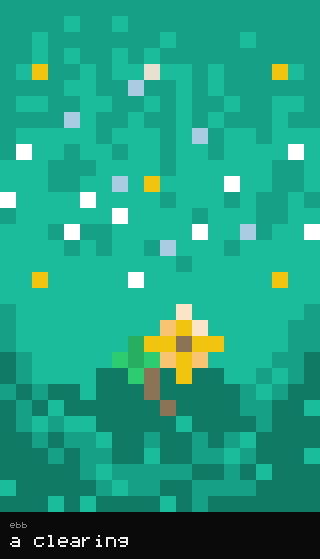
How does this work? Well, first of all, the image (and title/artist) are encoded into bytes, which can be represented as a string. The image above is equivalent to the following string, also called a fragment:
CgNhIGNsZWFyaW5nZWJic5znOc5znOc5znOc5znOe5z3Oc5znOc5znOe5znOc57nOc9znOc57nuc9z3Oc5znOc5zzuc9z3ie9z3Ocd7nOc573O25z3Pc5znOc97nPe5z3Pc57nPe5znO29znuc9z3Oc9znPe973Pe9z9ue9z3vcB73Pe573Pe573vA973uc573vc973ve5z3ve5z37ed73vA97nPA973ge973Pe9z3Oe5z3ve94Hve9z3vc573ve4DnPe97wPftz3ge973Pc97tve9z3ve973ve973ve573ve973vO973vA973ve953ve973ve973ve973ve9z3ve973vfx73ve97nPe973ve_R-Pe973Oc973ve9BzjOd73vc6rnve96UJ0fT3ve51aue9761SOp61e9z3VdV1avrWo61rWrnurWrqvrWta1HWtaudWr6ue5761rWr61rV1a1rV1XOfWrq1dVz61rWtauq51avrVznurWr61rWrnuc5zq1dV9a1fWta1c9zq1c5zq1rWtavq-ta1fV1a1rWtQ
We add this to my editor or viewer which can then read the fragment and display it in the browser.
But where does NFC come in?
The next step is to write the URL to the NFC card. Modern smartphones can read and write to NFC cards for free! We use an app called "NFC Tools" to do that. It takes about two seconds to write that URL (which is 579 bytes or so) to the NFC card.
If the data loaded on the NFC card is a URL, both Android and iOS devices will automatically open it in the browser by default. So when the user taps the NFC card on their phone, it takes them directly to the image! You now have art-on-a-card.
Last Saturday, Shashvat and I gave an interactive workshop called "Pixel Art Jam" to try out these concepts. We got them to download the app, make some art, write them onto their NFC cards, then share them with other attendees -- all in ten minutes. Here are some of the folks' works from TWC:
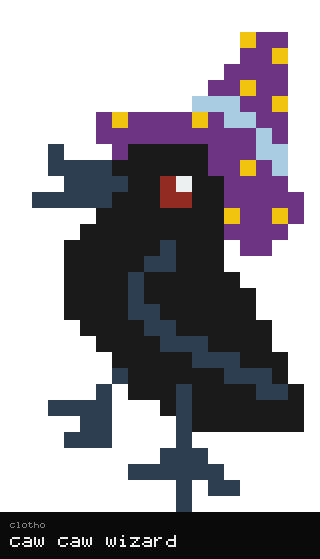
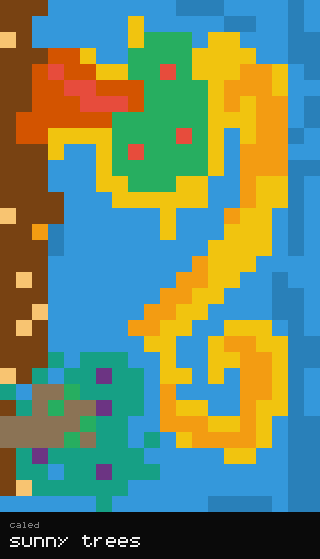
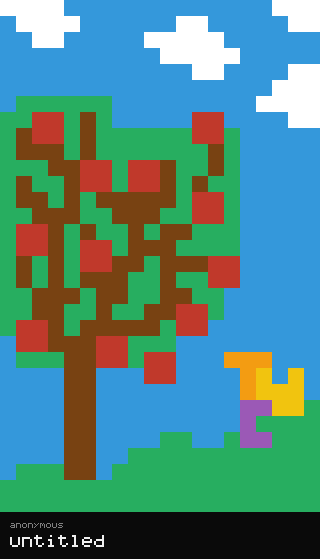
I am very, very impressed by how awesome these works are and how much people could do in just 5 minutes! These are awesome, truly.
Future work
I don't know if this could be done in 888 bytes, but I think it would be really cool to build the editor and viewer (or at least the viewer) in the URL itself, so the card could work completely offline.